Downloads

Start Your Dream Diner Adventure

Download Dream Diner Story: Restaurant free on Google Play and immerse yourself in the most delightful cooking simulation on mobile.

4.8/5 Stars Top Cooking Sim Free to Play • Safe, Verified Stores
Get it on Google Play

One secure download, countless culinary stories. No third-party APKs, ever.

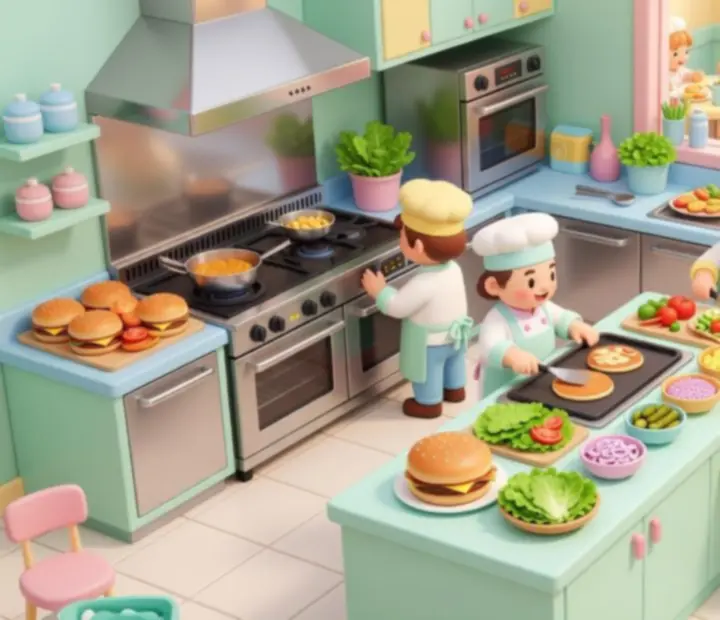
Pastel Dream Diner Story kitchen with colorful dishes, busy chefs, and smiling guests
Free to Play
Instant cloud saves
Auto updates on Google Play
Master the Kitchen in Dream Diner Story Chain orders, upgrade your line, and keep every guest smiling in a vibrant, story-driven restaurant world.

Official Google Play download hub for Dream Diner Story: Restaurant.

Official Store Links

Download Dream Diner Story: Restaurant on Your Favorite Platform

Follow the official Google Play path below, then use our simple guides to get into the kitchen in just a few minutes. Every link is official, secure, and keeps your diner ready for the latest updates.

Mobile Android

Official Google Play Store Link

Ready to cook up some fun? Tap to install Dream Diner Story: Restaurant directly from Google Play.

Download the game safely from the Google Play Store and jump straight into building your dream diner. From breakfast rushes to late-night specials, your culinary empire is just a tap away.

4.8/5 average rating • Optimized for modern Android devices
Get it on Google Play

Instant access, verified files, and automatic updates through Google Play.

Step-by-Step Setup

How to Install Dream Diner Story: Restaurant

Follow these quick guides to go from download to serving your first virtual guests. No technical skills required—just your appetite for great gameplay.

How to Install on Android

Install Dream Diner Story: Restaurant from Google Play in a few simple taps.

  1. Open the Official Google Play Store link above on your Android device.
  2. On the store page, tap Install. Make sure the developer name matches the official listing.
  3. Wait for the download to complete, then tap Open to launch Dream Diner Story: Restaurant.
  4. Accept any requested permissions so the game can save progress and connect online securely.
  5. Sign in or continue as guest, complete the short tutorial, and start serving your first orders.

Tip: Keep automatic updates enabled in Google Play so every new recipe, event, and feature arrives without extra steps.

Security First

Safety & Authenticity

Protect your account, your device, and your progress by downloading Dream Diner Story: Restaurant exclusively from verified app stores.

Download only from official sources. To keep your data safe and your diner running smoothly, always use the verified Google Play link on this page.

  • • Avoid third-party APK sites and unofficial mirrors
  • • Never disable your device security settings to install the game
  • • Keep your OS and store apps up to date for the latest protections

If you see offers for "modded" or "hacked" versions, skip them—these can contain malware, cause bans, or corrupt your save data.

Bonuses & Updates

Exclusive Perks for New and Returning Players

Every official download comes with upgrade-ready features, automatic updates, and welcoming rewards designed to jump-start your restaurant journey.

New Player Welcome Pack

Install now for a delicious head start.

New to Dream Diner Story: Restaurant? Your first download unlocks a special welcome pack designed to help you hit the ground running.

  • • Starter currency to speed up your first upgrades
  • • A handful of premium ingredients to dazzle early guests
  • • Time-limited boosts that make the opening rush more forgiving

Launch the game after installation and follow the in-game prompts to claim your bonuses before they expire.

Upgrade-Ready Downloads

Stay ahead with every new recipe, event, and story chapter.

Once you install via Google Play or Steam, you are set up for seamless updates. That means your diner evolves automatically with each release.

  • • New recipes and seasonal menus added over time
  • • Limited-time events that reward active players
  • • Character stories that deepen your connection with the staff and regulars

Enable automatic updates in your store settings so your kitchen is always stocked with the freshest gameplay content.

Tech Check

Device Compatibility FAQ

Not sure if your device can handle the dinner rush? These quick answers cover supported Android versions and common first-time installation issues.

Android Compatibility

Run Dream Diner Story: Restaurant smoothly on most modern Android phones and tablets.

  • Minimum OS: Recent Android versions as listed on Google Play
  • Recommended RAM: At least 3 GB for consistent performance
  • Storage: Sufficient free space for game files plus future updates

If installation fails, clear some storage, restart your device, and retry from the official Google Play link above.

First-Time Installation Questions

Resolve common issues before they slow down your service.

  • Stuck on download? Pause and resume the download in Google Play.
  • Game not launching? Restart your device, then try again from your app list.
  • Slow performance? Lower graphics settings in-game and close apps running in the background.

Still having trouble? Our support team is ready to help you finish the installation and start serving guests.

Need a Hand?

Customer Support for Download & Install Issues

If something interrupts your download, we are here to help. Reach out for prompt assistance and get back to plating dishes as fast as possible.

Customer Support Contact

Get direct help with installation, device compatibility, or account safety.

If you run into errors while downloading or launching Dream Diner Story: Restaurant, contact our friendly support team with details about your device, platform, and any error messages.

  • • Confirm you installed from Google Play (Android)
  • • Include screenshots of error messages if possible
  • • Note your approximate device model and OS version
Players gathering in a pastel Dream Diner Story diner, sharing moments on their phones

Join the Dream Diner Story Community

Downloading connects you to a vibrant hub of players and creators.

Once you are in-game, you are part of a community filled with strategy enthusiasts, recipe creators, and fellow diner owners obsessed with perfect service.

  • • Share layouts, queue strategies, and upgrade paths
  • • Compare story choices and favorite character moments
  • • Celebrate event scores and leaderboard placements

Looking to refine your kitchen flow or discover advanced techniques? Visit our in-depth pages on game features, guides, and mechanics.

Official Google Play download path for Dream Diner Story: Restaurant

Your Culinary Journey Begins Here

One download, countless stories. From your very first coffee order to peak-hour chaos in a fully upgraded kitchen, Dream Diner Story: Restaurant turns every service into a new chapter.